

Calendar Scheduling
Your schedule at a glance-visual calendar makes planning intuitive and conflict-proof
Book a DemoKey Benefits
Visual Calendar Display
See your entire schedule at a glance with colour-coded events and clear date highlighting
Intuitive Date Selection
Interactive calendar for selecting dates without complex navigation
Multiple View Options
Switch between month, week, and day views depending on planning timeframe
Appointment Overview
See all scheduled shifts and events with times, locations, and assignments
Conflict Prevention
Visual display prevents accidental double-bookings or conflicting requests
Recurring Events
Support for repeating shifts, training, and recurring appointments
How It Works
Open Calendar
Driver taps the schedule or calendar section to see their calendar overview.
View Schedule
The calendar displays all assigned shifts with colour coding (regular shifts, special assignments, blocked leave).
Request Time Off
Driver selects a date range on the calendar and submits a leave request with reason and optional notes.
Track Status
The calendar updates to show requested leave as pending, approved, or declined with visual indicators.
Core Capabilities
Month, week, and day calendar views
Colour-coded event categorisation
Shift and appointment display with times
Leave request date selection
Recurring event support
All-day event display
Event detail popup with full information
Holiday and company calendar integration
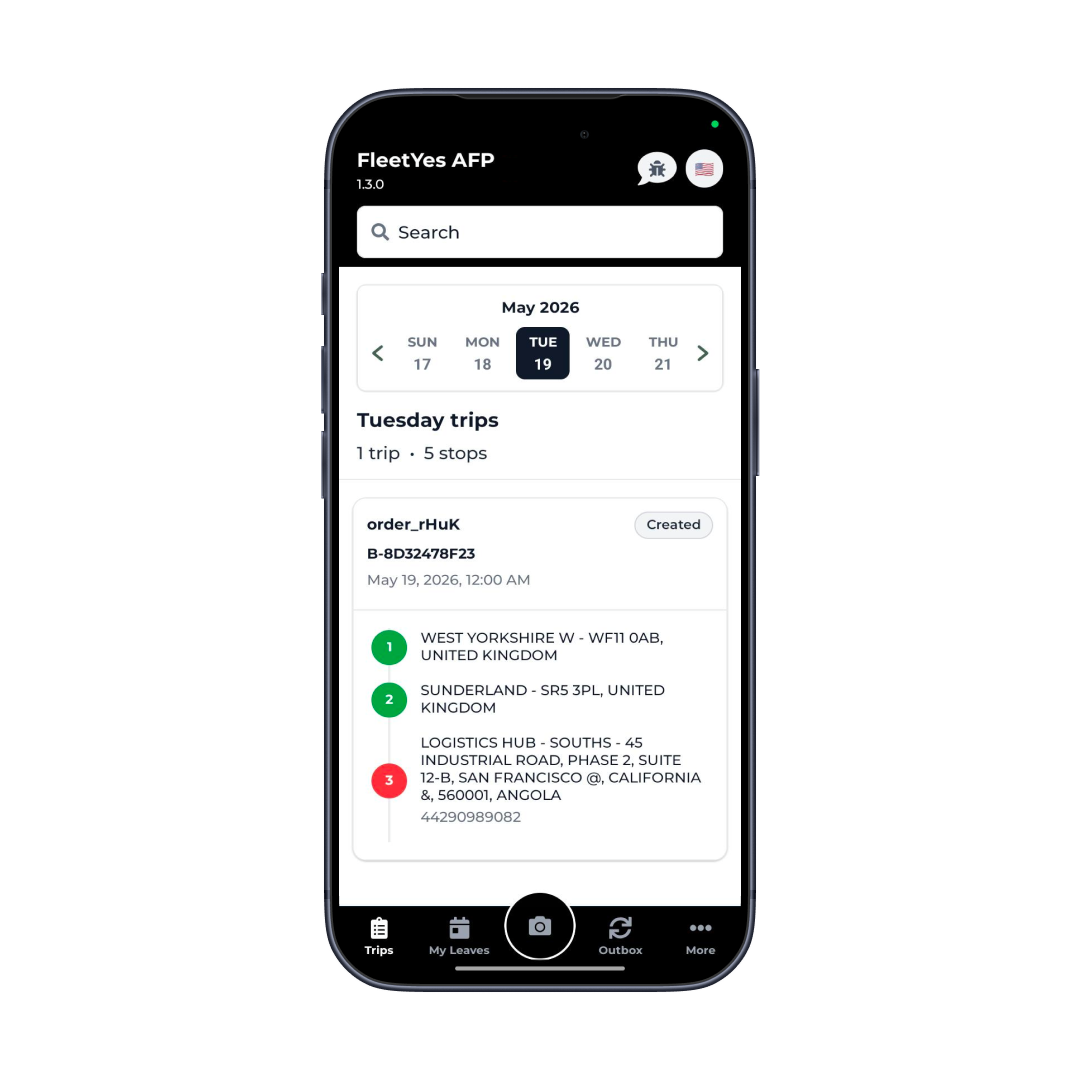
Calendar Scheduling
Visual Calendar Display: See your entire schedule at a glance with colour-coded events and clear date highlighting
Real-World Use Cases
Shift Planning
Drivers plan their work schedule, seeing upcoming shifts and availability
Leave Management
Visual calendar makes selecting date ranges for leave requests intuitive
Conflict Avoidance
Calendar view prevents scheduling issues by showing existing commitments
Team Coordination
Multi-driver teams coordinate around each other's schedules
Training Scheduling
Training sessions and mandatory courses appear on the calendar
Holiday Planning
Company holidays and special calendars prevent leave requests on company events
Personal Planning
Export calendar to personal calendar apps for comprehensive planning
Availability Management
Clear visibility into when drivers are available for additional work
Scheduling Mistakes Start the Moment You Can't See Your Full Calendar
Calendar interfaces seem basic, but they're genuinely valuable for scheduling. A date field where you type "2026-05-20" is error-prone and unintuitive. A calendar where you see the month laid out and click the date is immediately obvious and prevents mistakes.
Visual calendar display prevents the most common scheduling problem-double-booking. When you can see all your existing commitments while selecting dates for leave, you avoid requesting time off you've already been scheduled to work.
The ability to see surrounding days and their status helps with planning. "I want time off June 1-5" is easier to decide when you can see that June 1 is already after your shift ends on May 31, effectively giving you extra time off without using leave.
Integration & Compatibility
Date Picker Libraries
Native iOS and Android date selection
Calendar Rendering
Month, week, day view layouts
Notification System
Event reminders and alerts
Time Zone Handling
Daylight savings time and regional timezone support
Export Functionality
iCal and other calendar format export
Recurring Patterns
RRULE support for repeating events
Coordinate Driver Schedules and Eliminate Booking Conflicts
Drivers see their schedule in real-time. No more double-booking, missed shifts, or last-minute confusion.
Book a Demo