Dark Mode Customisable Themes
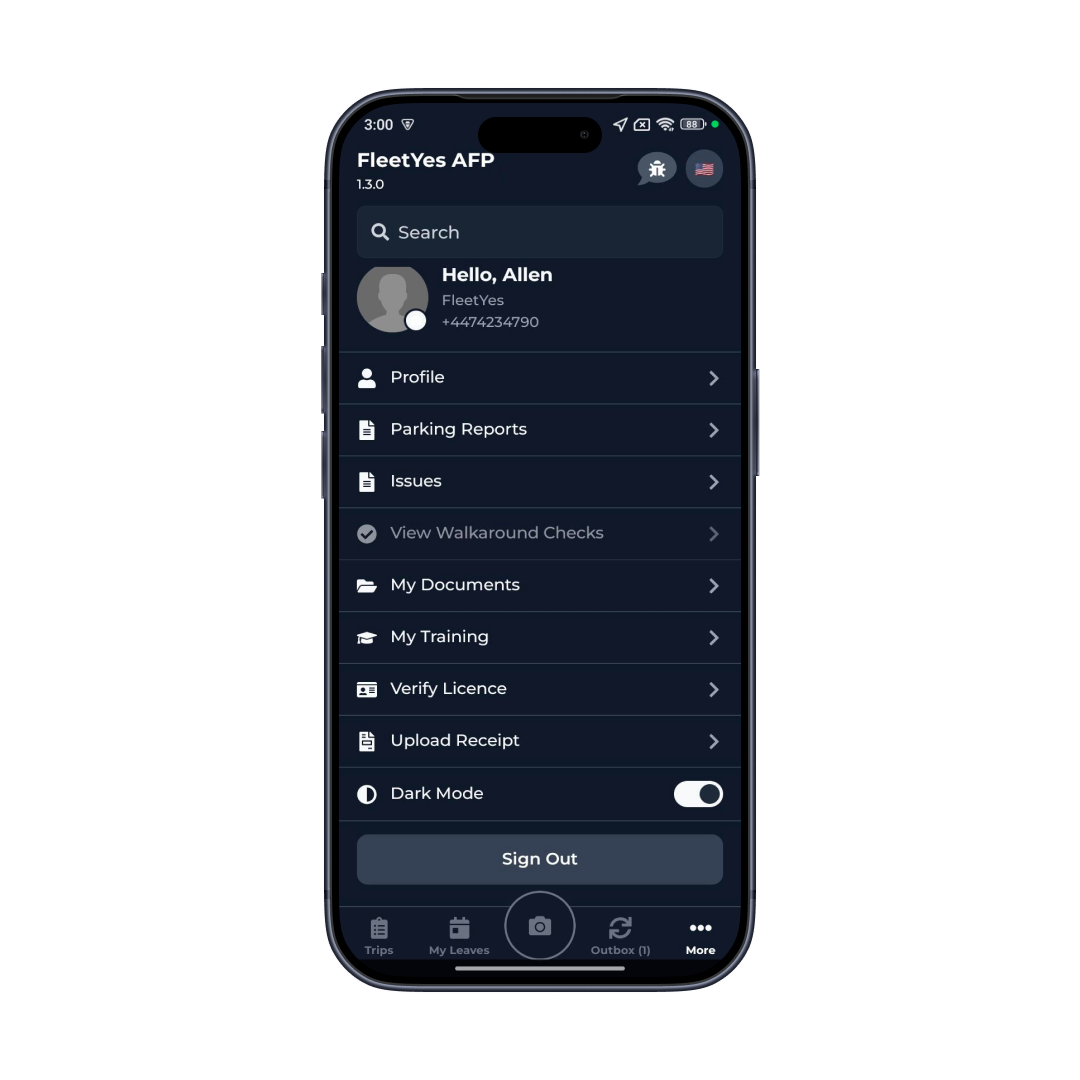
Dark mode by default, light mode when you need it, brand colours throughout-visual comfort meets identity
Book a DemoKey Benefits
Night Shift Eye Protection
Dark mode reduces eye strain and blue light during late deliveries-your eyes stay fresher, you stay alert longer
AMOLED Battery Boost
On modern phones, dark mode actually reduces battery drain-dark pixels use less power than light pixels, meaningful difference over a long shift
Consistent Theme Everywhere
Every screen, menu, button, modal, and dialog respects your theme choice-no jarring light boxes popping up in dark mode
High Contrast for Real Visibility
Text and controls remain sharp and readable in all conditions-no low-contrast problems, no "can I read this?" doubts
Smooth, Polished Transitions
Theme changes animate smoothly without flashing or reloading-the app feels premium and responsive
Personalisation Persists
Your theme preference is remembered across every session, every device-set once, consistent experience forever
How It Works
Set Your Preference
In settings, choose light mode or dark mode to match your preference.
Theme Applies Globally
Every screen immediately adopts your selected theme-backgrounds, text, buttons, modals, everything.
Automatic Updates
The app allows you to switch between light and dark modes based on your preference.
Organisation Branding
The app maintains a consistent and professional interface across all screens, ensuring a clear and reliable experience for your team.
Core Capabilities
Light mode with standard contrast and brightness
Dark mode with blue-light reduction for eye comfort
System-linked theme that follows device settings
High-contrast mode for accessibility
Dark Mode Customisable Themes
Night Shift Eye Protection: Dark mode reduces eye strain and blue light during late deliveries-your eyes stay fresher, you stay alert longer
Real-World Use Cases
Night Shift Drivers
Drivers working evening and night-time routes use dark mode to reduce eye strain
Driver Preference
Some drivers simply prefer dark interfaces-easy toggle means every driver gets their preferred experience
Accessibility
Users with visual sensitivity or colour blindness benefit from high-contrast themes
Battery Life
On AMOLED screens, dark mode reduces battery consumption significantly
Outdoor Readability
Bright environments benefit from themed UI adjustments that maintain readability in sunlight
Training Consistency
Branded themes reinforce company identity and create training consistency
Bright Screens at Night Are Hurting Your Drivers
Dark mode isn't just aesthetic-it's functional. Late-night deliveries with a bright white screen genuinely strain your eyes. Battery drains faster. A dark interface is more comfortable and helps you stay alert through night shifts.
For companies, branded themes create psychological connection. When drivers open the app, they see your company colours and feel they're using a professional tool built specifically for them-not a generic third-party system. Brand ownership increases. The app feels premium.
The automatic system linking demonstrates thoughtful design. When your device switches to dark mode at sunset, the app switches with it. No inconsistency. No manual adjustments. Everything feels interconnected and seamless-hallmark of a well-designed application.
Integration & Compatibility
Native Theme APIs
Integration with iOS and Android theme systems
CSS-in-JS
Dynamic theme application to all components
Accessibility Standards
WCAG compliance for all colour contrasts
Light/Dark SVG Handling
Icons adapt to both theme modes
Device Integration
Seamless sync with system theme settings
Performance Optimisation
Efficient theme switching without reloads
Make Your App Comfortable for Night Drivers and Any Team
Dark mode reduces eye strain during night shifts. Customizable themes reinforce your brand and improve driver adoption.
Book a Demo