

Organisation Settings & Permissions
Manage users, control access by role, and maintain audit logs for compliance and accountability.
Book a DemoKey Benefits
Eliminate data security risks with granular role-based access control-each person sees only what they need
Dispatchers see trips and drivers. Finance sees only fuel and expenses. Drivers see only their own assignments. Zero sensitive data leakage. Compliance proven.
Prevent costly data errors and fraud through role-based edit restrictions and approval workflows
Only managers approve leave. Only finance approves expenses. Only admins delete data. Segregation of duties prevents mistakes and fraud.
Pass regulatory audits instantly with complete, unchangeable audit trail of every data change
Trip modified? Expense approved? Leave denied? Every change logged with user ID, timestamp, old/new values, and reason. DVSA inspection? Audit ready immediately.
Scale to 500+ users across 20 locations with consistent governance-no chaos, no exceptions
Define role templates once (dispatcher, manager, technician, finance). Apply to new depots automatically. Policy consistency maintained as you grow.
Cut new hire onboarding from days to hours with pre-built role templates and instant access
New dispatcher hired? Assign "dispatcher" role. Instant access to trips and drivers. No manual permission configuration. Ready to work on day one.
Reduce user management overhead by 80% through bulk import and single sign-on
Bulk-import users from Active Directory or HR system. SSO means no password resets. Users log in with company credentials. Admin overhead eliminated.
Operate independent franchises with complete data separation while maintaining HQ visibility
Each franchise is separate organisation with independent data. HQ sees aggregate metrics and compliance rolls-up. No cross-franchise data contamination. Perfect isolation.
Detect and prevent unauthorised access through login tracking and automatic session timeouts
See who logged in, when, and from which device. Automatic logout after inactivity. Suspicious login patterns flagged. Data exposure prevented before it happens.
How It Works
Create roles and define permissions
Admin defines roles (dispatcher, driver, manager, technician). Assigns permissions per role.
Assign users to roles
New user created. Assigned to role. Automatic permission grant. User logs in immediately.
Monitor activity
Admin reviews audit logs. Sees who changed what. Can trace any data change to user and timestamp.
Update permissions as needed
Role responsibilities change? Update role definition. Automatically applied to all users in that role.
Core Capabilities
Role-based access control (RBAC)
Audit logging
Bulk user import
Single sign-on (SSO)
Session management and timeout
Multi-organisation support
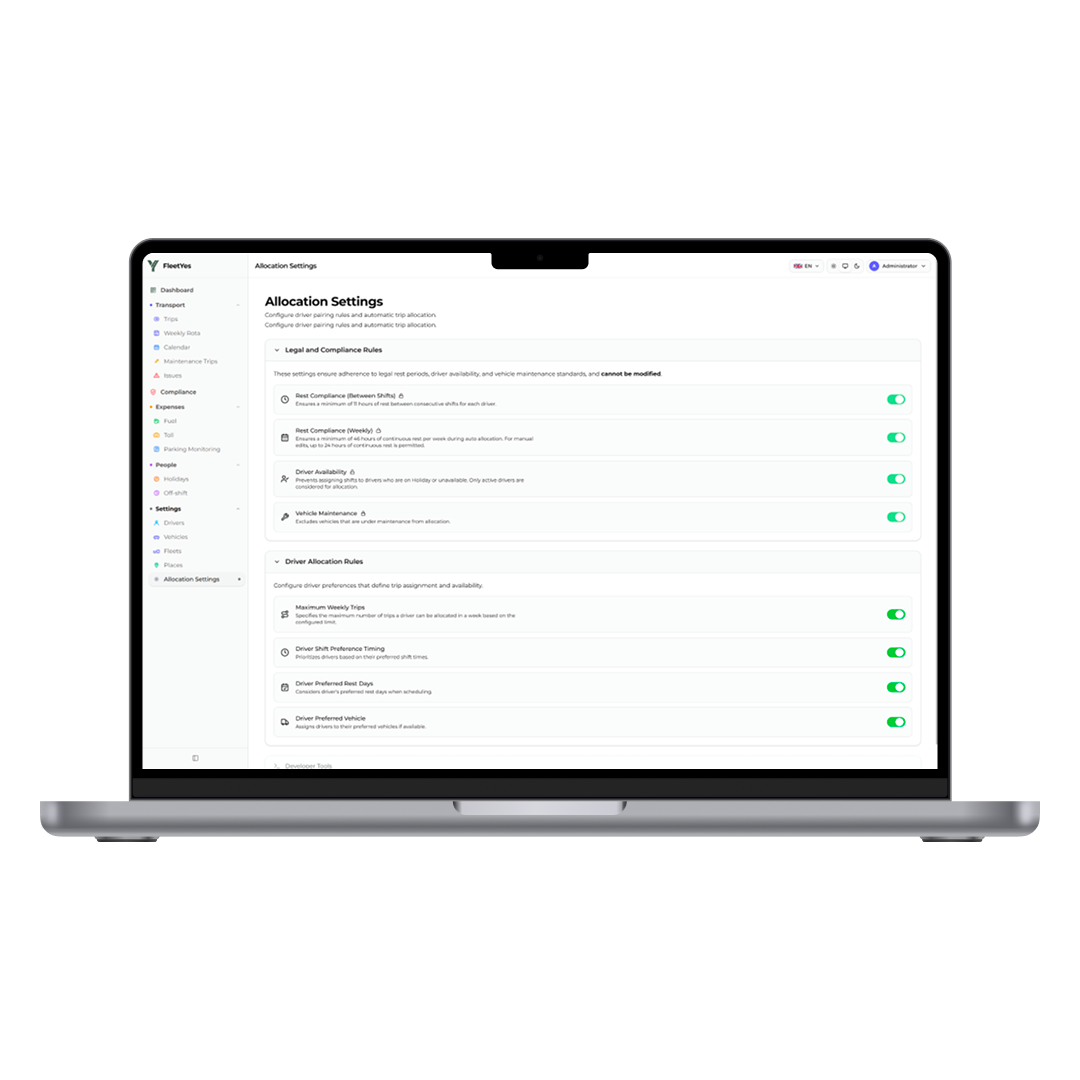
Organisation Settings & Permissions
Control exactly who can see what and do what. Role-based access keeps sensitive data secure while letting teams do their jobs without friction.
Real-World Use Cases
Dispatch centre management
Dispatch team can create and assign trips. Managers can view all trips and make changes. Drivers see only assigned trips. Clear hierarchy.
Financial controls and segregation of duties
Dispatcher creates expense claim. Finance reviews and approves. Driver can't approve own claim. Prevents fraud.
Compliance audit preparation
Regulator requests audit trail of all changes. Export complete audit log. Every change documented. Demonstrates governance.
Third-party integration security
Integrate with customer portal. Create API key scoped to read-only trip status. Customer can't modify data or see other customers.
New depot launch
New depot added to network. Assign depot manager role. Bulk import local staff. Automatic permission grant. New depot operational immediately.
Data access incident investigation
User suspects data was changed without authorization. Review audit log. Identify when change was made and by whom. Reconstruct event.
Improve Operational Control with Smarter Access Management
Data security risks and operational chaos multiply without proper access control. Dispatchers see sensitive driver documents they shouldn't. Finance staff can delete trip records. Multiple people make changes and no one knows who did what. Fraud happens silently. Regulatory audits fail.
FleetYes's organisation settings and permissions lock down access while keeping operations smooth. Role-based access means each person sees exactly what they need. Approval workflows enforce segregation of duties. Every change is logged with a timestamp and user ID. Audits are pass-ready instantly.
The result is immediate: data security proven, compliance audits pass, fraud prevented, and zero "why didn't we see that coming?" moments. Your operation is governed, protected, and audit-ready.
Integration & Compatibility
Multi-tenancy framework
Support for multiple organisations with separate data silos. Used by franchise networks and group operators.
Audit log export
Export audit logs to compliance systems or data warehouses. Support forensics and compliance investigations.
Mobile app access control
Same permissions apply on mobile app. Users see same data and capabilities on mobile and web.
Incident and security response
Audit logs accessible during security incident investigation. Identify unauthorized access or data changes quickly.
Control Access and Keep Your Data Secure
Role-based permissions ensure the right people see the right data. Audit trails prove compliance. Security without friction.
Book a Demo